Wednesday, August 6, 2008

Delete files when the Recycle Bin is hidden

By default, the Windows XP Recycle Bin sits at the bottom right of the desktop, just above the tray notification area and system clock. If you've got many floating windows open, however, it's possible to obscure the Recycle Bin and make it impossible to drag files and folders there for deletion. However, you can automatically hide all of those open windows during a drag operation. The first time it happened, I thought it was a fluke. But it's not. Instead, it's a cool hidden feature of XP.

Here's how it works: Make sure a bunch of windows are open on the screen, with at least one of them hiding the Recycle Bin. Then, find a file or group of files you'd like to drag to the Recycle Bin. Pick up the files with the mouse and move them to the lower right of the screen. As you reach the bottom area of the screen, pass the mouse cursor over a blank area of the task bar, hover there for an instant, and the open windows all minimize, leaving the Recycle Bin available to accept the dragged files. Good stuff. This tip also works when windows are maximized, assuming the file(s) you want to delete are visible in one of the available windows.

Read more!

Tuesday, July 29, 2008

Download FolderIcon XP v1.02

FolderIcon XP allows you to easily change the icon for any folder with just a few clicks. It integrates into the Explorer right-click menu and offers more than 120 custom XP-style icons (colored, numbered, marked folders) as well as a set of of more than 260 selected system icons. You can also add your own icons and use them in addition to the included library. FolderIcon XP keeps a detailed log of all changes and you can restore any folders, or all of them to the default settings at any time. Additional features include support for network paths, batch apply to subfolders and more.


Download FolderIcon XP v1.02

Read more!

Monday, July 28, 2008

Adolix Wallpaper Changer v2.2 - freeware!

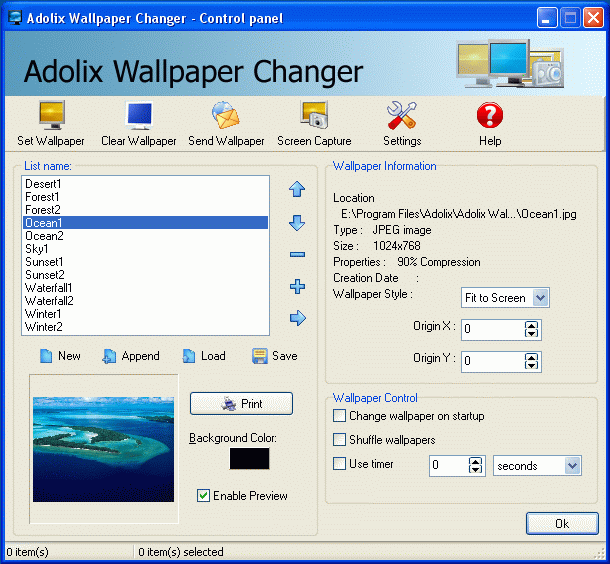
Adolix Wallpaper Changer is a wallpaper software that will help you change wallpaper on your desktop. Using this powerful background changer you can use all your favorite images as wallpapers. Adolix Wallpaper Changer supports many file types like JPG, GIF, PNG, and BMP.


Download Full Version!

You can download the full and free version of Adolix Wallpaper Changer (3.2 Mb) by clicking on the link below. Download time: 3 min and 16 seconds at a 56Kb Dial-Up connection.

After download, open the file AdolixWallpaperChangerSetup.exe and the installation wizard will appear. Follow the easy steps in order to complete the installation.


Here is an example of how Adolix Wallpaper Changer improves your desktop:

Benefits

  • Change background on your computer.
  • User friendly interface with full context-sensitive help and comprehensive help file.
  • Create play lists of your favorite wallpapers and customize them as you like.
  • Extensive supports for all popular graphics formats: BMP, JPG, GIF, PNG,PCX,TGA, TIF and WMF.
  • You can program the wallpaper to change automatically after a specified time period (e.g. every 5 minutes).
  • You can use different background color for each wallpaper.
  • Schedule option that saves precious time
  • Fit to screen and auto fit position options for the wallpaper.
  • Animate Adolix Wallpaper Changer tray icon


Screenshots

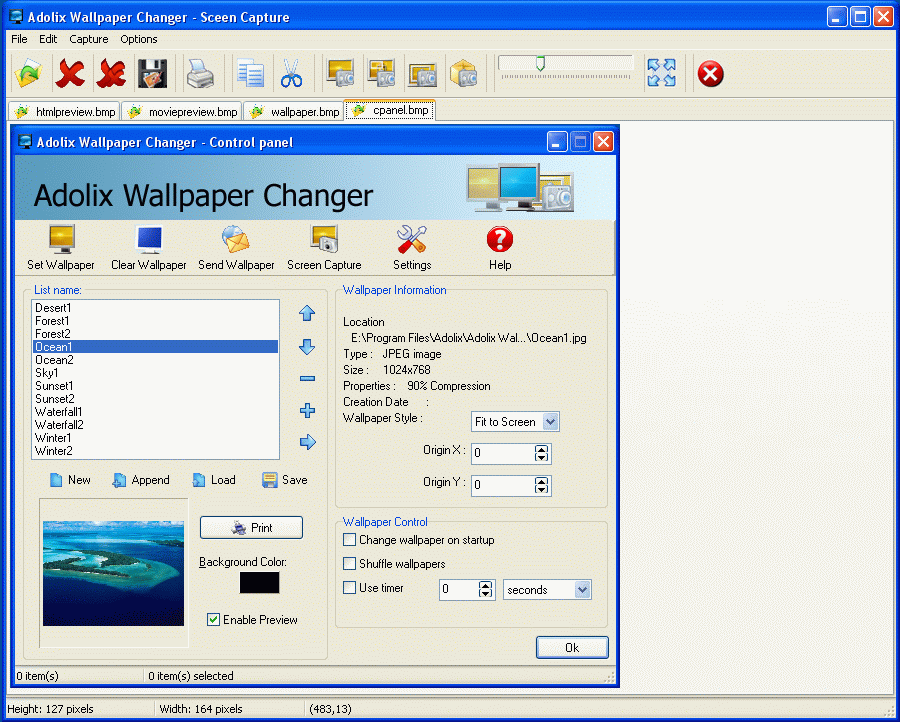
Control panel

Tray menu: (50% original size)


Courtesy : http://www.adolix.com/


Read more!

Friday, June 27, 2008

BySoft FreeRAM 4.0

Description
FreeRAM is a program that frees up ram manually or automatically. It shows current memory status , memory load and CPU usage graphically. Best of all, it is completely free.

Features
It can be enabled/disabled directly from tray icon popup
Defaults button in options
Number of retries can be set up in options
Sound when freeing ram
Amount of free ram can be displayed in the system tray

Site Link
http://www.bysoft.com

Download Link
http://www.bysoft.com/dl1.php?file=FreeRAM32.exe

Read more!

yahoo messenger 9 beta

Yahoo! Messenger 9 BETA - With a Cool New Look

Description
  • Connect with all your friends
  • Instant message with a world of friends who use Yahoo! (or Windows LiveTM Messenger).
  • Stay in control...24/7
  • Decide who sees you online with stealth settings.
  • Share away
  • Swap photos and files (huge ones) in real time. Plus enjoy voice calls and webcam video.
  • & many other features

Site Link
http://messenger.yahoo.com

Download Link
http://download1us.softpedia.com/dl/9a8bb13494806de81920dd217cf5543e/47e3d853/100004411/software/internet/im/ymsgr9us.exe

Read more!

Opera web browser

Opera Web Browser - The Fastest Browser
Description
The award-winning Opera Web browser: The coolest, fastest, and most secure free Web browser available

Site Link
(http://www.opera.com)

Download Link
http://ftp.cgu.edu.tw/Mirror/Opera/win/926/en/Opera_9.26_Eng_Setup.exe

Read more!

Windows Startup Booster

Copy following lines in NOTEPAD:-

DEL /S /q "Drive Letter:\Documents and Settings\User Name\Local Settings\Temp\"
DEL /S /q "Drive Letter:\WINDOWS\Temp\"
DEL /S /q "Drive Letter:\WINDOWS\Prefetch\"


1.Write the drive letter of windows drive eg. If windows is installed in c drive then,

DEL /S /q "C:\Documents and Settings\User Name\Local Settings\Temp\"

2.Write the current user name eg. IF you have give user name "Owner" {Dont include double quotes)then,

DEL /S /q "C:\Documents and Settings\Owner\Local Settings\Temp\"

3.Save the text file and give name "deltemp.bat"{Dont include double quotes} in my documents{If you desire you can change the location)

4.When you are going to shut down your PC or Laptop,run this file where you have saved by just double clicking on it...

You will see the startup of Windows is faster tha previous

When you have saved that deltemp.bat file...

and you dont want to run it again and again while shutting down Computer then you can make it automatic...It will run automatically when u shut down your Computer...

PROCEDURE
1.Open run command located in start menu.

2.Type "gpedit.msc"(without double quotes).

3.Go to Computer Configuration>Windows Settings>Scripts>Shutdown

4.Double click on Shutdown...A dialog box will be opened...Click on ADD button...

5.Now browse and locate that file "deltemp.bat" and open it..then click on OK button

Now you dont need to run that file again & again...

Read more!